Live Event Audio

Stadium
Sound

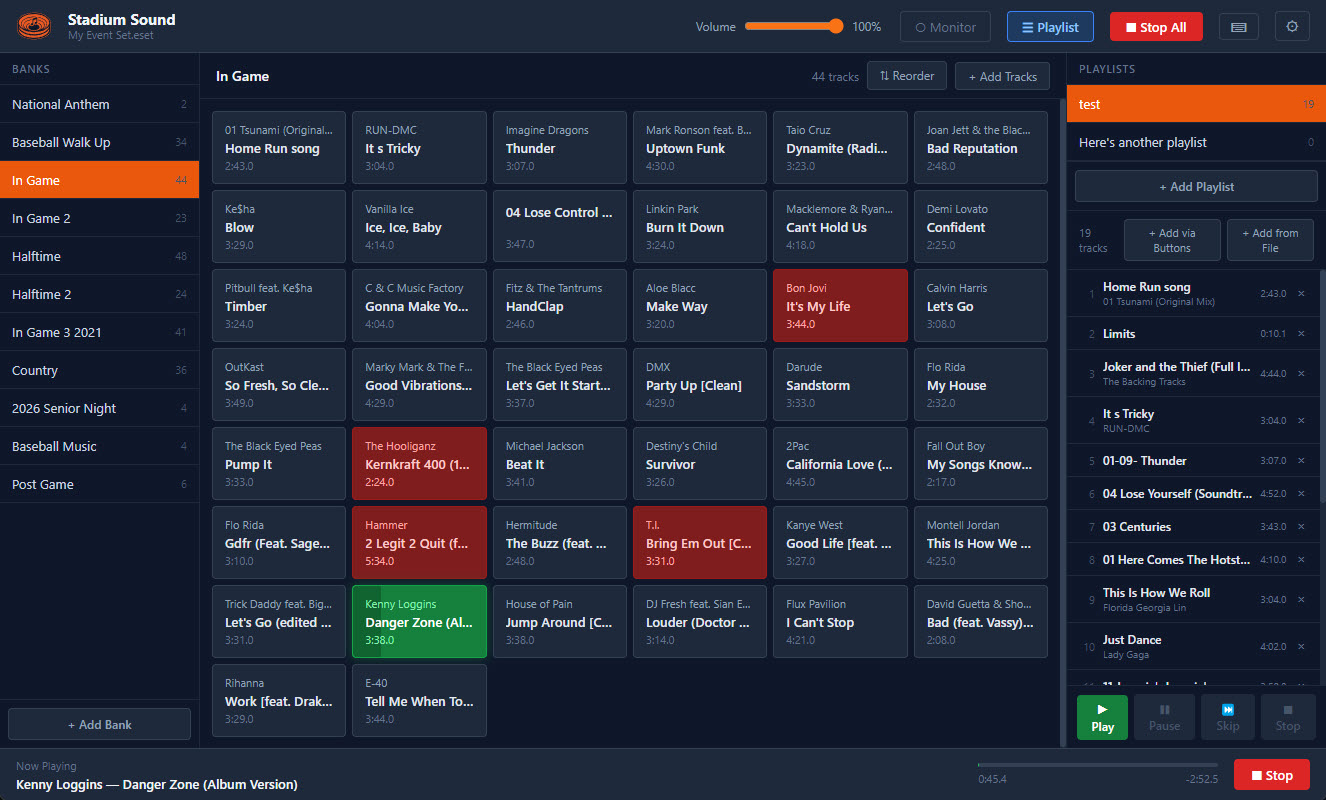
Professional audio playback for venue operators. Organize tracks into banks, trigger them instantly, and control the room.

Download for Windows Download for macOS v0.1.0 · Free & open source
Highlights — Stadium Sound
Walk-ons
Highlights
Intros
Timeouts
Post-game
Promos
Walk-up — Jordan, Michael
0:12
Features

Built for the booth,
not the bedroom.

Instant Playback

Files are pre-decoded at load time. Click a track and it plays — no buffer spin-up, no wait.

Named Banks

Organize tracks into banks by category — walk-ons, intros, timeouts, highlights. Switch banks mid-event without losing your place.

Fade Controls

Per-event fade in, fade out, and crossfade settings. Transitions that sound like a broadcast, not a laptop.

Monitor Mode

Route audio to a private headphone output to preview a track before playing it to the venue.

Track Editor

Waveform view with draggable in/out points. Trim intros and set player name fields for walk-on cues.

Auto-Update

New versions download in the background and install on next restart. Always current, zero effort.

Sports Sounds Pro Import

Already running Sports Sounds Pro? Import your existing .set files directly — banks, track names, and file paths all carry over. Use File → Import Sports Sounds Pro Set… to get started.

Download

Free for Windows
and macOS.

Windows
Windows Installer
Windows 10 or later · x64
macOS
Mac Disk Image
macOS 10.15 or later

App is not yet code-signed. To open: right-click the app → Open → click Open in the dialog. Learn more ↗